
On this page
- Why a pet photo makes a great coloring page
- What makes a good pet photo for a coloring page
- Dog, cat or rabbit: how fur and markings become numbered areas
- Choosing the detail level for a pet coloring page
- Step by step: make a pet coloring page in Outlineify
- Printing your pet coloring page at home
- Ideas for your finished pet coloring pages
- Pet photo coloring page questions
Short answer: Choose a bright photo where your pet is large in the frame and in front of a plain background, crop it close, and turn it into a color-by-number page with Outlineify. You get black line art with numbered areas, a color key taken from your pet’s own colors and a colored-in example to follow.
A coloring page of the family dog or cat is not just another printable. It is a page of someone everybody at home already knows: the floppy ear, the white patch on the chest, the way the cat sits on the windowsill. This guide shows you how to turn a pet photo into a coloring page that prints well, how to choose the right photo and which detail level fits the person who will color it.
Why a pet photo makes a great coloring page
Store-bought coloring books show a generic puppy or kitten. A custom pet coloring page shows your pet, with its own markings and its own colors. That makes the page easy to start a conversation about: what is the dog called, where does the cat like to sleep, which toy is in the photo?
A color-by-number pet portrait also keeps the coloring simple. Every area carries a number, and the color key at the bottom shows which color belongs to each number. The colored example on a second sheet shows how the finished page can look, so nobody has to guess whether the ears were brown or grey.
What makes a good pet photo for a coloring page
The clearer the photo, the cleaner the outline drawing. You do not need a professional camera; a phone photo in daylight is enough. Look for these four things:
- Your pet large in the frame. A close photo of a dog’s head and shoulders, or a cat curled on a cushion, turns into bigger shapes than a small pet far away on a lawn.
- Soft, even light. Daylight from a window works well. Strong shadows and very dark rooms turn into extra areas that do not belong to your pet.
- A simple background. A plain wall, a floor, a blanket or grass gives a calm page. A busy room with toys and furniture behind your pet adds many small areas.
- Your pet in a typical pose. Sitting, lying down or looking at the camera. Pets in motion often come out blurry, and blur makes outlines less clear.
A simple tip: photograph at your pet’s eye level. Kneel down for a dog, or wait until the cat is on the sofa. The face then fills more of the picture, and the eyes and nose become clear shapes on the page.
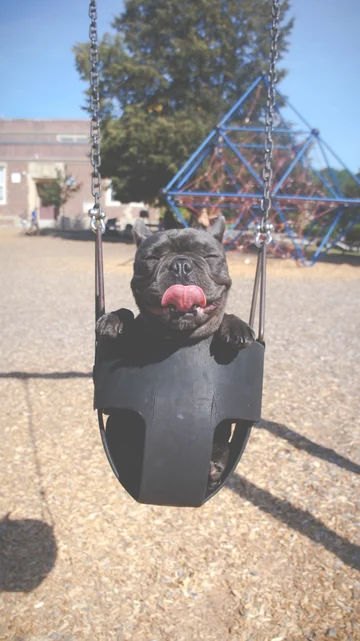 The photo
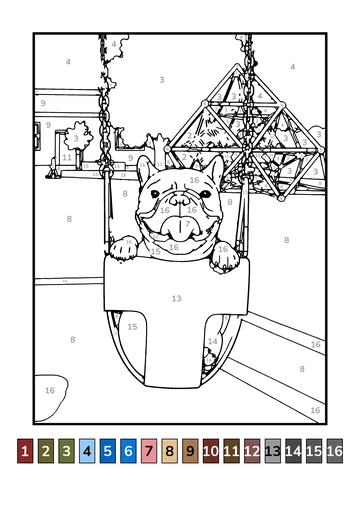 The page to print
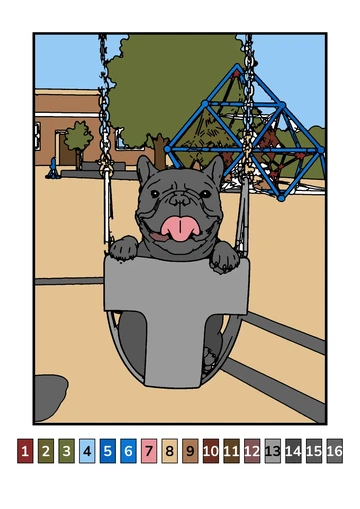 The colored example
Dog, cat or rabbit: how fur and markings become numbered areas
When Outlineify draws your pet coloring page, it outlines the main shapes of the photo and splits them into areas. Patches of fur, a collar, a harness or the stripes of a tabby cat each become areas with their own number. Colors that look similar in the photo share a number, so the page does not drown in tiny details.
The color key is taken from your photo. A ginger cat gets oranges and creams, a black French bulldog gets dark greys and a soft pink for the tongue, and the background gets its own colors too. In the gallery on our home page, the bulldog page uses a 16-color key, while the ginger house cat below uses eight.
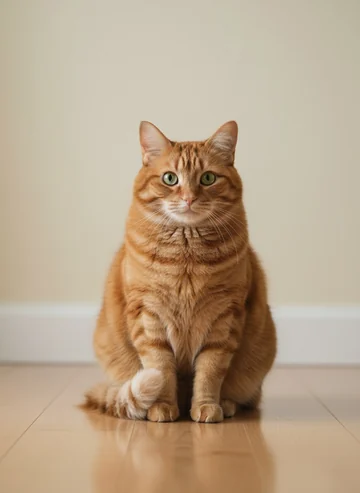 The photo
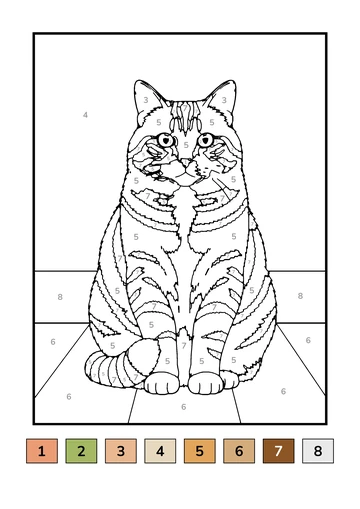 The page to print
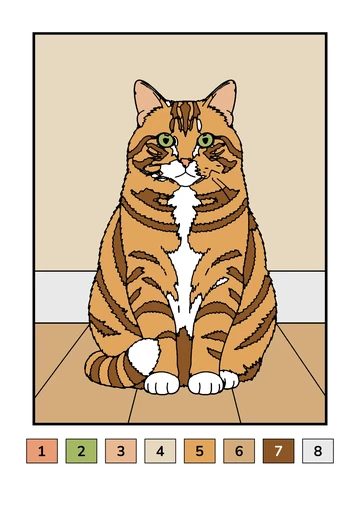 The colored example
Long-haired pets and pets with very fine patterns, such as a speckled coat, give the most detailed pages. If a page has more areas than you want, use the simpler detail level or crop closer to your pet’s face.
Choosing the detail level for a pet coloring page
Outlineify makes pages at two levels, and you choose the level for each photo:
- 0–2: Big, simple shapes. Fewer areas and thick lines that are easy to stay inside. Your pet’s body, head and ears become a few large shapes, with only a handful of colors in the key.
- 2+: More to color. More areas and numbers, with more of the fur, markings and background kept in. This suits longer coloring sessions.
You can make one page of each from the same photo, for example a simple page for a toddler and a detailed page for an older sibling or a grandparent. Our guide to color-by-number pages for toddlers and young children explains the two levels in more detail.
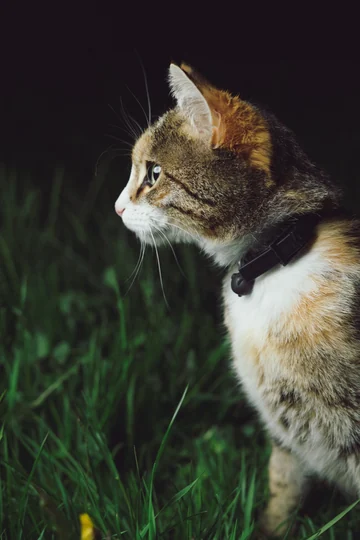 The photo
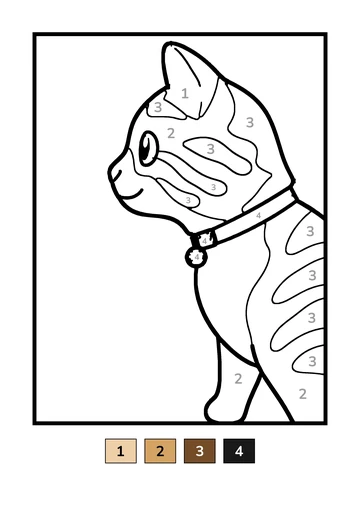 The page to print
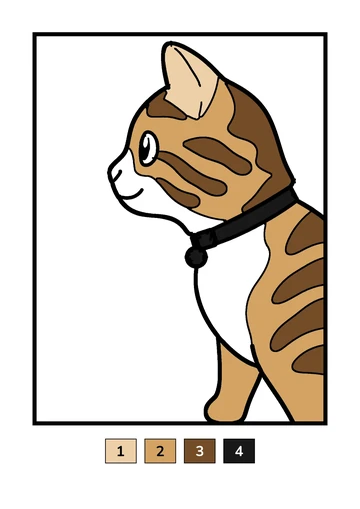 The colored example
Step by step: make a pet coloring page in Outlineify
- Open Outlineify on your iPhone or iPad and take a new photo of your pet, or choose one from your photo library.
- Drag the corners of the frame around your pet. Cropping closer gives bigger shapes and clearer lines. If the area is too small for a clear page, the app tells you and asks you to drag the corners out a little.
- Choose the detail level: 0–2 or 2+.
- Wait about a minute while Outlineify draws the outlines, numbers the areas and builds the color key. You can leave the app while it works; a notification tells you when the page is ready.
- Print the page, save it as a PDF or an image, or share it with family.
Printing your pet coloring page at home
Every page fits A4 and US Letter. Choose your paper size in the app under Account, Paper size, before you print. When you tap Print, you can choose the page alone or the page with its colored example on a second sheet.
A color printer shows the color key at its best. If you only have a black-and-white printer, the numbers still guide each color, and you can show the colored example on your phone or tablet while you color. Our guide on how to print coloring pages at home covers paper, PDFs and printer settings step by step.
Regular printer paper is fine for crayons and colored pencils. If you like markers, see which coloring supplies work best on printer paper before you start.
Ideas for your finished pet coloring pages
Once the page is colored in, it can live on long after the coloring session:
- Frame it next to the photo it came from, so the original and the colored page hang side by side.
- Send it to the grandparents. Share the PDF and they can print the same pet portrait at their home.
- Collect a season of pages. A page of the dog every few months shows how the puppy grew. Several pages bound together make a small family coloring book from your photos.
- Make one of a favorite toy too. The same steps work for the stuffed animal your pet carries around, or any favorite toy in your home.
Your photo is used only to make your page and is deleted from our servers as soon as the page is done. Finished pages stay in My Drawings, ready to print again whenever someone asks for “the dog page” one more time.
Pet photo coloring page questions
Can I turn any photo of my dog or cat into a coloring page?
Most clear photos work. Pick one where your pet is large in the frame, well lit and in front of a simple background. Busy backgrounds, dark rooms and very small pets in a wide shot give pages with more clutter and less of your pet.
Which detail level is best for a pet coloring page?
Choose 0–2 for big, simple shapes with thick lines, which suits the youngest colorers. Choose 2+ when you want more areas and numbers, with more of the fur, markings and background kept in. You can make both from the same photo.
Where do the colors in the color key come from?
The color key is built from the colors in your photo, so a ginger cat gets oranges and creams and a black-and-white dog gets dark and light tones. Each numbered swatch matches the numbered areas on the page.
Can I print a pet coloring page in black and white?
Yes. The line art and the numbers print clearly in black and white. A color printer shows the color key best, and you can print the colored example on a second sheet to show which color goes where.
Can I make a coloring page of a pet that has passed away?
Yes. A favorite photo of a pet you miss can become a page to color together. Choose a photo where the pet is clearly visible, crop it to the part you love, and keep the printed page in a box of memories or frame it.